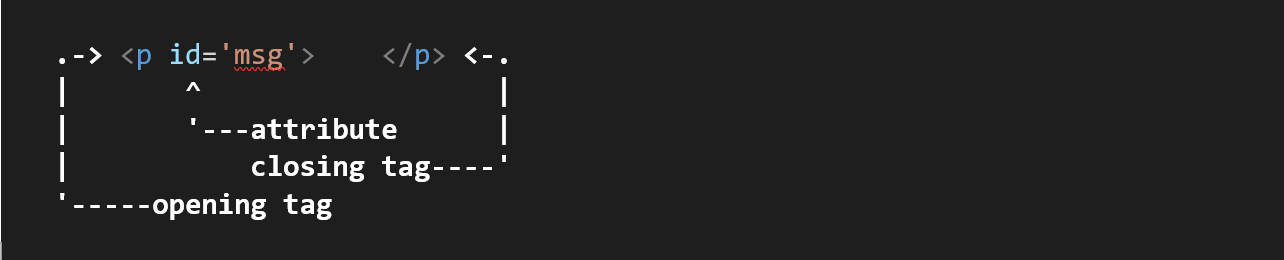
elements are defined using tags.
|
|
Block Elements:
Inline Elements:
|
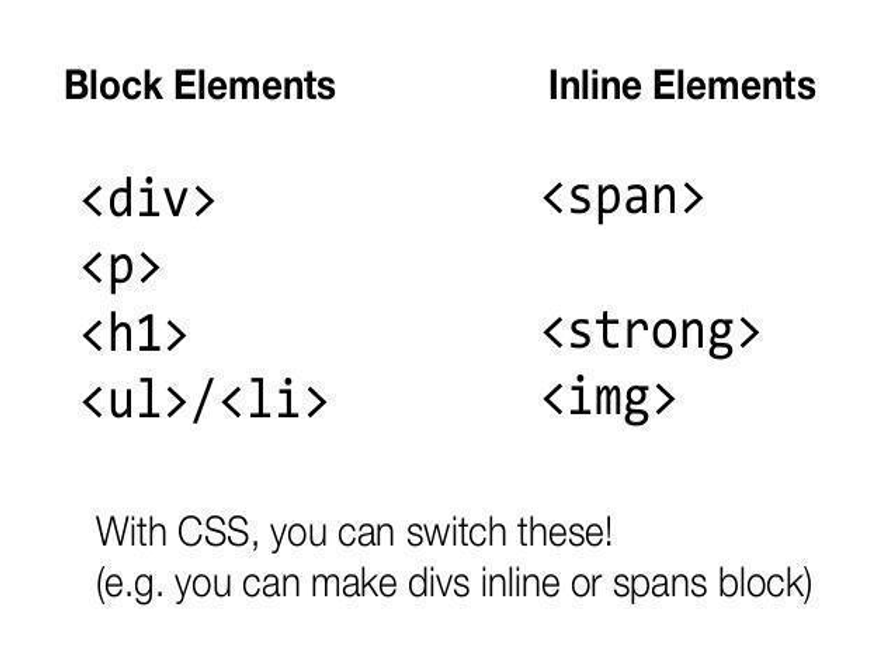
note: You can nest inline elements inside block elements but not the other way around.
💡 more about html elements
tip: The most important block element in HTML is the division element (<div></div>). This element is heavily used and sometimes whole websites or web apps only consist of divisions. The division forces a line break and is often used as a container of other divisions or other HTML elements.
The counterpart to division is the inline element (<span></span>). As we learned, inline elements don’t force a line break and hence, divide the content into logical parts.
tip: div and span are non-semantic tags, but their amazing application is use “they are used for structuring the html document”.
tip: “ in html5 block elements are roughly flow elements, and inline elements are roughly phrasing elements. ”